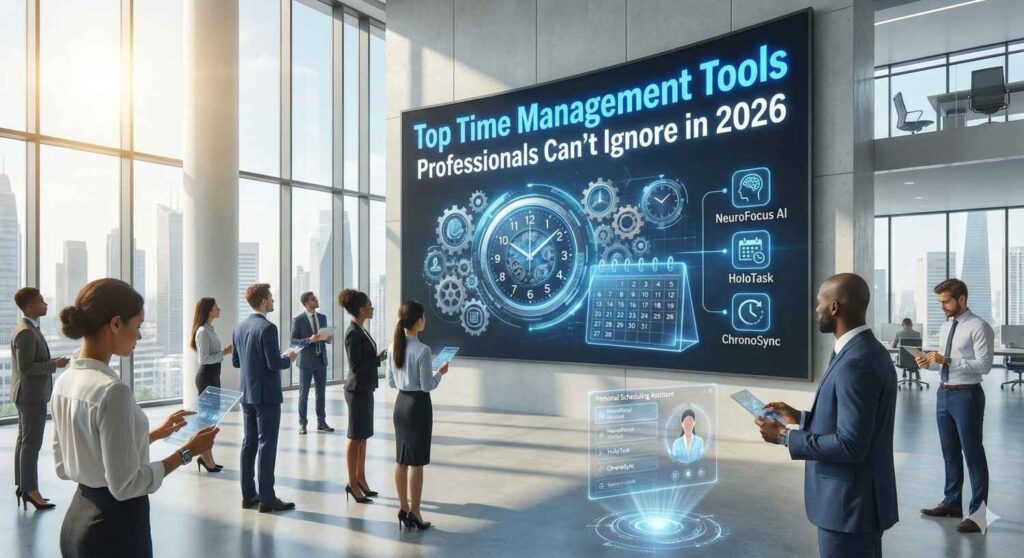
Discover the top time management tools every professional should use in 2026 to stay focused, boost productivity, and reclaim hours. From task managers and calendars to AI-driven trackers, learn how the right tools can transform your workday, reduce stress, and give you a competitive edge in today’s fast-paced world.
In 2026, work moves faster than ever. Between hybrid schedules, constant notifications, and back-to-back meetings, professionals often feel like time slips away. The real challenge is managing them effectively. Smart time management goes beyond simple to-do lists; it’s about prioritising what truly matters, staying focused, and reducing stress.The right tools can help professionals track tasks, block distractions, and reclaim valuable hours. Whether you’re leading a team, handling multiple projects, or aiming for a better work-life balance, mastering the best time management tools will transform productivity and give you a real edge.
Here’s why time management matters and which tools and techniques are worth adopting in 2026.
Why Time Management Still Matters & What Research Says
In today’s hybrid, distraction-filled workplaces, effective time management is crucial for sustaining productivity, reducing burnout, and achieving work-life balance.
It empowers professionals to prioritise high-impact tasks, adapt to evolving demands, and deliver consistent results amid constant interruptions.
Below, research underscores these benefits with key statistics:
- Employees average just 2 hours 53 minutes of daily productivity, lost to distractions, and 15% of tasks are extended by multitasking, making goal setting and prioritisation essential for focus.
- Leaders using formal time systems achieve 33% higher revenue through better delegation and workload control, proving that time management is key to strategic leadership.
With that context, let’s explore the most effective tools and methods professionals should consider using in 2026.
Top Time Management Tools for 2026 Professionals
Here’s a curated list of widely recommended, research-backed tools and platforms to help manage time, tasks, and focus.
1. Task & To‑Do Management: Planning Your Day Right
- Todoist: Great for individuals. Lets you create task lists, add due dates and priorities, and sync across devices. Simple and flexible enough for both daily chores and complex projects.
- Trello / Asana: Ideal for project-based work or team collaboration. Visual “boards” (in Trello) or task assignment + timelines (in Asana) make tracking tasks and deadlines much clearer.
These tools help you break down work into actionable steps, reduce mental clutter, and keep your daily tasks visible and organised.
2. Time Tracking & Productivity Insights: Know Where Your Hours Go
- Toggl Track: A lightweight yet powerful time tracker. Perfect for freelancers, consultants, or anyone managing multiple clients/projects. It logs hours, tracks billable vs non-billable time, and shows where time is going.
- Clockify: Another popular time‑tracking tool that’s simple to use and robust. Many organisations use it to identify time drains and improve productivity.
Using these tools makes time visible. When you know exactly where your hours go, deep work, meetings, and admin, you can make informed decisions and reallocate time for higher-impact tasks.
3. Scheduling & Focus Tools: Plan Smart, Work Focused
- Google Calendar (or similar calendar apps): A classic but essential tool. Scheduling meetings, blocking focus hours, and syncing across devices helps keep personal, professional, and collaborative time organised.
- Focus‑boosting methods/tools (e.g. Pomodoro Technique + timer apps): Breaking work into focused intervals (like 25 minutes) followed by short breaks helps maintain concentration, reduce burnout, and improve productivity.
- Freedom: A distraction‑blocking tool that helps manage digital distractions by blocking websites/apps during focus hours. Useful when you need deep, uninterrupted work time.
These help manage not just tasks, but your energy and attention, ensuring work gets done with focus rather than scattered effort.
How to Use Time Management Tools Effectively (Not Just Add More Apps)
Having the tools doesn’t guarantee better productivity; how you use them matters:
- Set clear priorities & use the correct method: Use frameworks like SMART goals or the urgency‑importance matrix (often embedded in task tools) to decide what needs attention first.
- Schedule focused time + breaks: Combine calendar scheduling with techniques like Pomodoro to balance deep work and rest.
- Track and reflect: Use time‑tracking tools to review your week. Identify tasks that took too long, wasted time, or could be automated, and adjust accordingly.
- Avoid tool overload: More tools don’t always mean better. Choose a few that fit your workflow instead of piling on.
Leadership & Team-Level Benefits: Why Leaders Should Care
Good time management tools are not just for individuals; they also amplify team performance.
- Several studies show that leaders who manage time effectively achieve higher productivity and clearer outcomes.
- When teams use shared tools (such as calendars, task management, and trackers), collaboration becomes more transparent, deadlines are easier to meet, and accountability increases.
- Reduced time wastage allows more time for strategic thinking, creative work, and leadership, things that tools can’t automate.
What’s Changing in 2026: New Trends & What to Watch Out For
- More intelligent AI-based time‑management: Emerging tools are now learning user patterns, predicting your schedule, suggesting focus blocks, and even reminding you to take breaks based on your workflow habits.
- Remote & hybrid speed: As hybrid work becomes standard, tools that sync across devices (desktop, laptop, phone) and support asynchronous collaboration (shared calendars, cloud-based task boards) are must-haves.
- Focus on mental wellness and burnout prevention: Time tools are no longer just about tasks. Tracking workload, scheduling regular breaks, and blocking distractions help protect mental health and productivity over the long run.
Build Your Own Time-Management Stack, Not Just Use One Tool
There’s no one-size-fits-all “perfect” time management tool; the real power comes from combining a few smart tools with good habits. A solid setup might include using a task manager like Todoist to list and prioritise work, a calendar like Google Calendar to schedule tasks and focus blocks, and a time tracker like Toggl Track to see where your hours go.
The key is to review your time logs regularly, reflect on what’s working, and refine your approach. With this kind of stack, and a bit of discipline, you can reclaim hours, improve focus, and make each workday far more effective and less stressful.
In 2026 and beyond, as workloads continue to grow, mastering time management will be one of your most significant competitive advantages. Use it wisely.